Automatic Case Submission
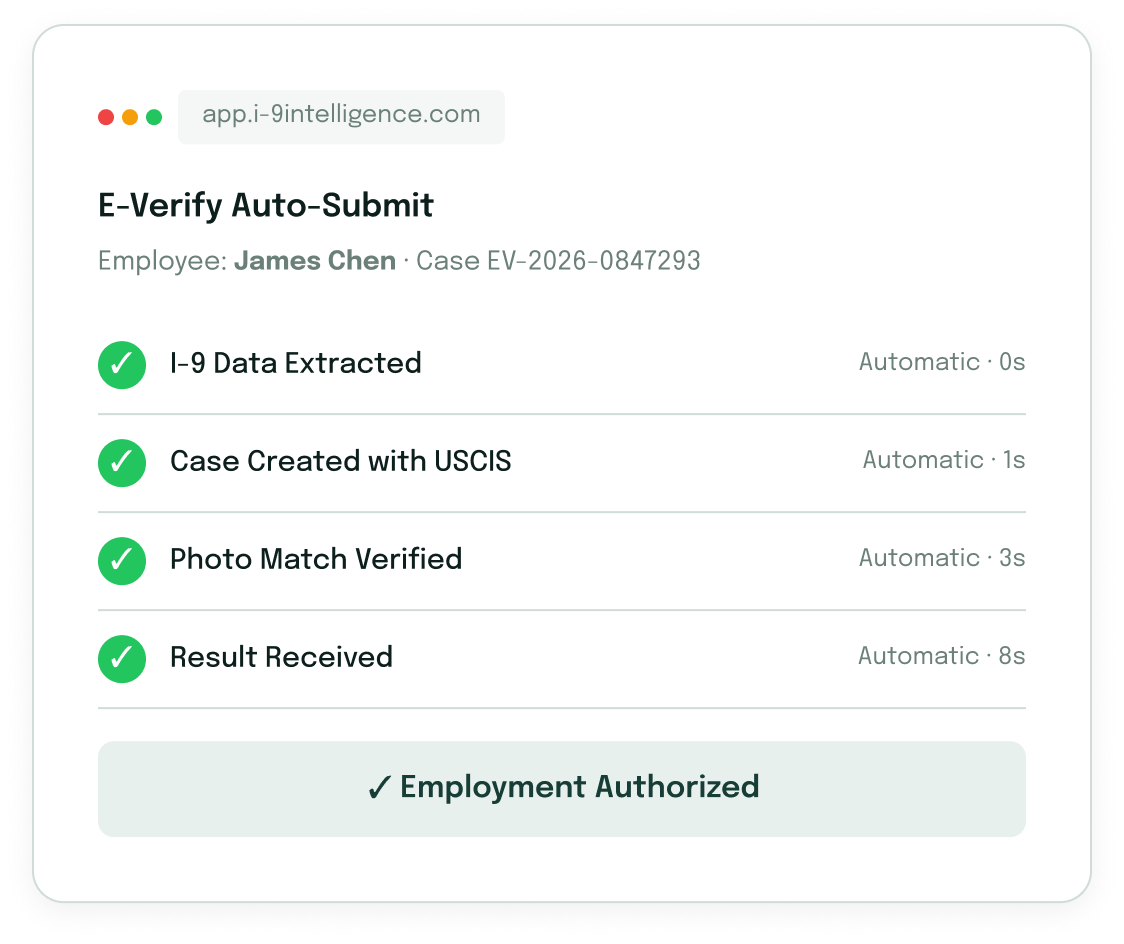
E-Verify cases are created and submitted automatically from completed I-9 data. No duplicate data entry. No manual portal login.

E-Verify cases submit automatically the moment Section 2 is complete. No duplicate data entry. No manual steps. Track every case from submission to resolution in one dashboard.
Trusted across industries


E-Verify is a federal system that confirms an employee's work authorization by comparing Form I-9 data against Department of Homeland Security and Social Security Administration records. It's mandatory for federal contractors and required by law in states including Florida, Arizona, North Carolina, Alabama, Mississippi, South Carolina, Tennessee, and Utah — with more states adding requirements each year.
Most employers who use E-Verify do it manually: completing the I-9, then logging into the E-Verify portal separately to re-enter the same data. That means double entry, delays, and errors that can trigger tentative non-confirmations (TNCs) or compliance gaps.
i9 Intelligence eliminates the manual step entirely. When Section 2 is complete, E-Verify cases are created and submitted automatically — zero re-entry, zero delay.
From I-9 completion to verified employment — no manual steps required.
Employee documents are verified in-person or remotely. Section 2 data is captured in the system.
The system extracts I-9 data and creates an E-Verify case with USCIS automatically — no separate login, no re-entering information.
Document photos are matched against DHS records. Results are returned in seconds, not hours.
Employment Authorized cases close automatically. TNCs are flagged immediately with a guided resolution workflow for HR.
Built for multi-location employers who need automation, visibility, and compliance confidence.
E-Verify cases are created and submitted automatically from completed I-9 data. No duplicate data entry. No manual portal login.
View case status instantly — Employment Authorized, TNC issued, case pending, or referred. One dashboard for every location.
When a tentative non-confirmation is issued, the system notifies HR with clear next steps: employee notification requirements, deadlines, and resolution tracking.
E-Verify is applied only where required — FL, AZ, NC, OH, and others — without overcomplicating hiring in states where it's optional. Rules update automatically.
Generate E-Verify reports by location, region, or division. Role-based permissions ensure each manager sees only their cases while compliance leads see everything.
Photo matching workflow built in during the E-Verify process — catching mismatches before they become issues.
The E-Verify portal is free — but it's designed for individual case entry, not for employers managing hundreds or thousands of new hires. Every case requires manually re-entering the same data already captured on the I-9.
i9 Intelligence connects directly to E-Verify so there's nothing to re-enter, no separate login, and no risk of transcription errors. Cases are submitted, tracked, and resolved inside the same platform where your I-9s live.
For multi-location employers, this eliminates the biggest operational headache: managing separate E-Verify accounts across locations while maintaining a single compliance view.
E-Verify mistakes can delay hires, trigger government scrutiny, and expose your company to penalties.
Data entry errors can trigger false TNCs, delaying onboarding for days or weeks.
Federal contractors who fail to run E-Verify can lose contracts and face debarment.
States with E-Verify mandates impose fines and can suspend business licenses for non-compliance.
Missing or late E-Verify cases are visible to ICE during I-9 audits.
Common questions about how E-Verify works with i9 Intelligence.
Yes. E-Verify integration is included in every i9 Intelligence plan at no additional cost. Cases are submitted automatically from completed I-9 data.
You need an active E-Verify MOU (Memorandum of Understanding) with DHS. If you don't have one, our team can help you enroll. Your existing MOU works with our platform — no changes needed.
The system immediately flags the TNC and provides a guided workflow: notification requirements, employee rights, response deadlines, and resolution tracking. You never miss a step.
Yes. Each location can have its own E-Verify company ID and access controls, while compliance managers see a unified dashboard across all locations.
As of 2026, states with E-Verify mandates include Florida, Arizona, North Carolina, Alabama, Mississippi, South Carolina, Tennessee, Utah, and Ohio (construction). Our system automatically applies E-Verify rules based on each location's state.
Yes. When using our remote Section 2 verification service, E-Verify is submitted automatically after the remote verification call is complete — the same as an in-person I-9.
When the E-Verify system experiences outages (including government shutdowns), our platform queues submissions and automatically retries when the system comes back online. You receive notifications about any delays.
Most cases receive an Employment Authorized result within seconds. Cases requiring additional review (photo match, DHS referral) are tracked in real time with status updates.